Start with Basic, step up to Pro for desktop, or go VIP for a team. Plans are purchased inside the app — download Dazo for your platform and pick a plan in seconds.
For one device, on the go.
Mobile + Desktop, working together.
For practices and studios.
All plans are billed annually and purchased inside the Dazo app on your platform.
Top up any active plan from the Manage Subscription screen on mobile.
Auto-renewable annual add-on. 1 additional mobile device per add-on.
Stack as many as you need. Auto-renewable annual.
Dazo is free to download on every platform. Install it, sign in, and pick the plan that fits — Basic, Pro or VIP — right from Manage Subscription.
App Store
Download → ▶Google Play
Download → ⊞Microsoft Store
Download →App Store
Download →Subscriptions are managed through Apple, Google, Microsoft or your device’s store.
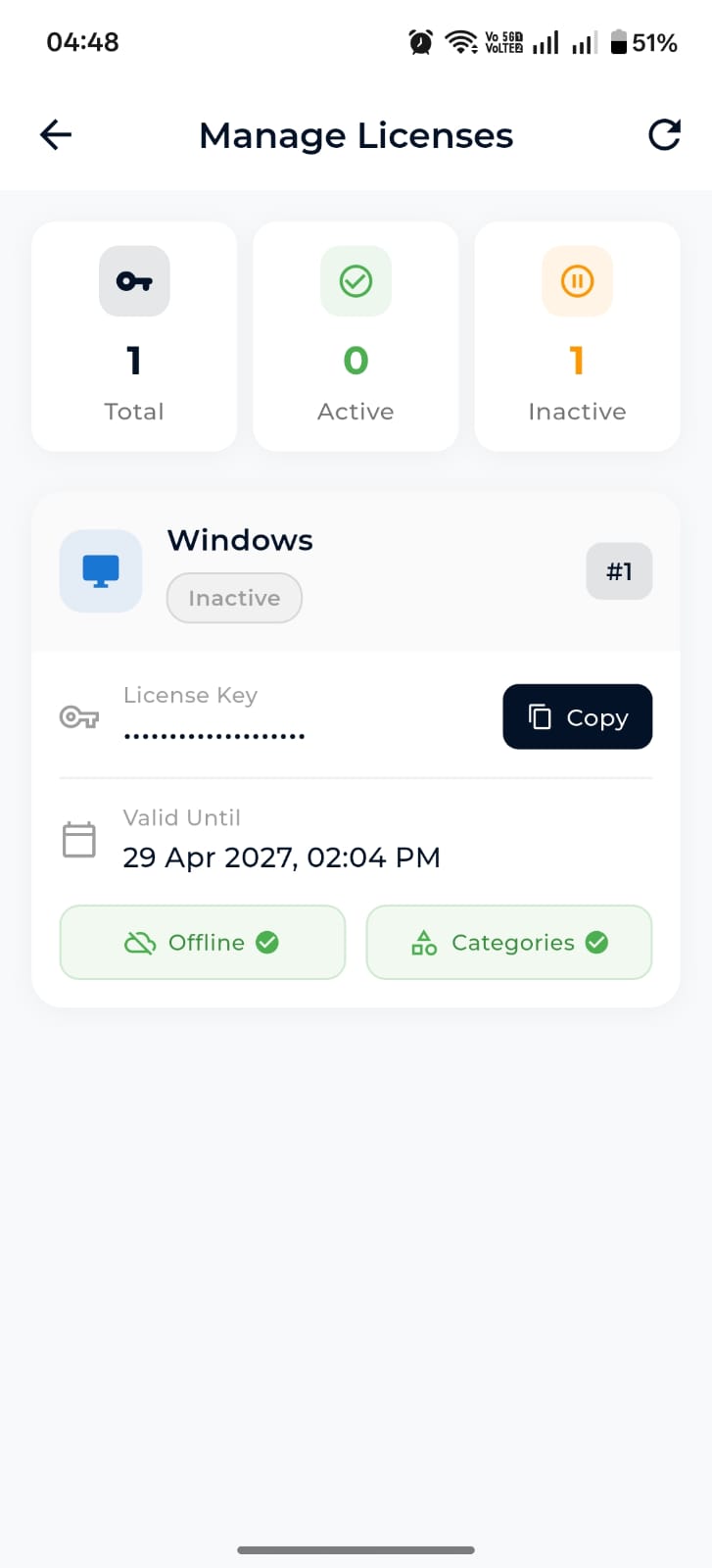
For Windows installs with limited connectivity, Dazo offers offline license keys with a valid-until date. Manage your active and inactive licenses from the mobile app, copy keys with one tap, and bind them to a specific desktop.
All Dazo plans are purchased inside the app. Download Dazo for your platform, sign in, and tap Settings → Manage Subscription.
Yes. Storage mode is a setting in the app — you can change it whenever you want.
No. Mobile keeps cached patient lists, folders and files. Desktop can boot into an offline sync-folder view.
Your phone runs a local HTTP server and your desktop connects over the same WiFi or a mobile hotspot, then pulls files directly — no cloud round-trip.
Yes. Subscriptions are managed by your platform’s store (Apple, Google or Microsoft). Cancel anytime from your account there.